
Email to PDF Converter for SharePoint
Convert emails into professional PDFs with complete control over attachments, output, and post-conversion actions, all without leaving SharePoint.
From choosing attachments before conversion to sending emails directly after, every step is designed to keep users in control and within the SharePoint experience.
Smart Conversion with Full Control
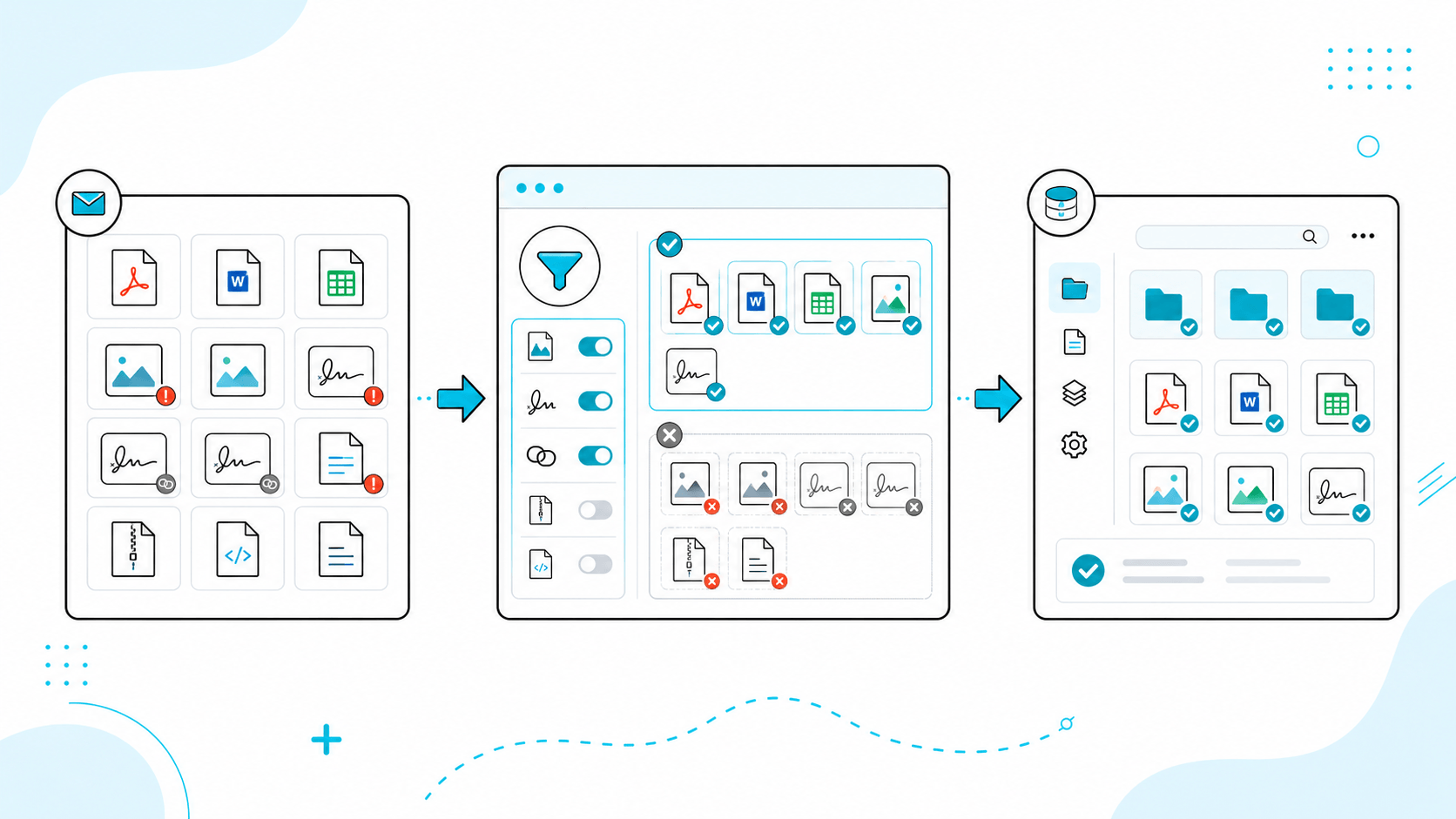
Granular Attachment Filtering
Gain absolute authority over your output. Selectively include or exclude files prior to processing, allowing you to seamlessly strip away junk images, duplicate signatures, or non-essential files before they hit your permanent records.
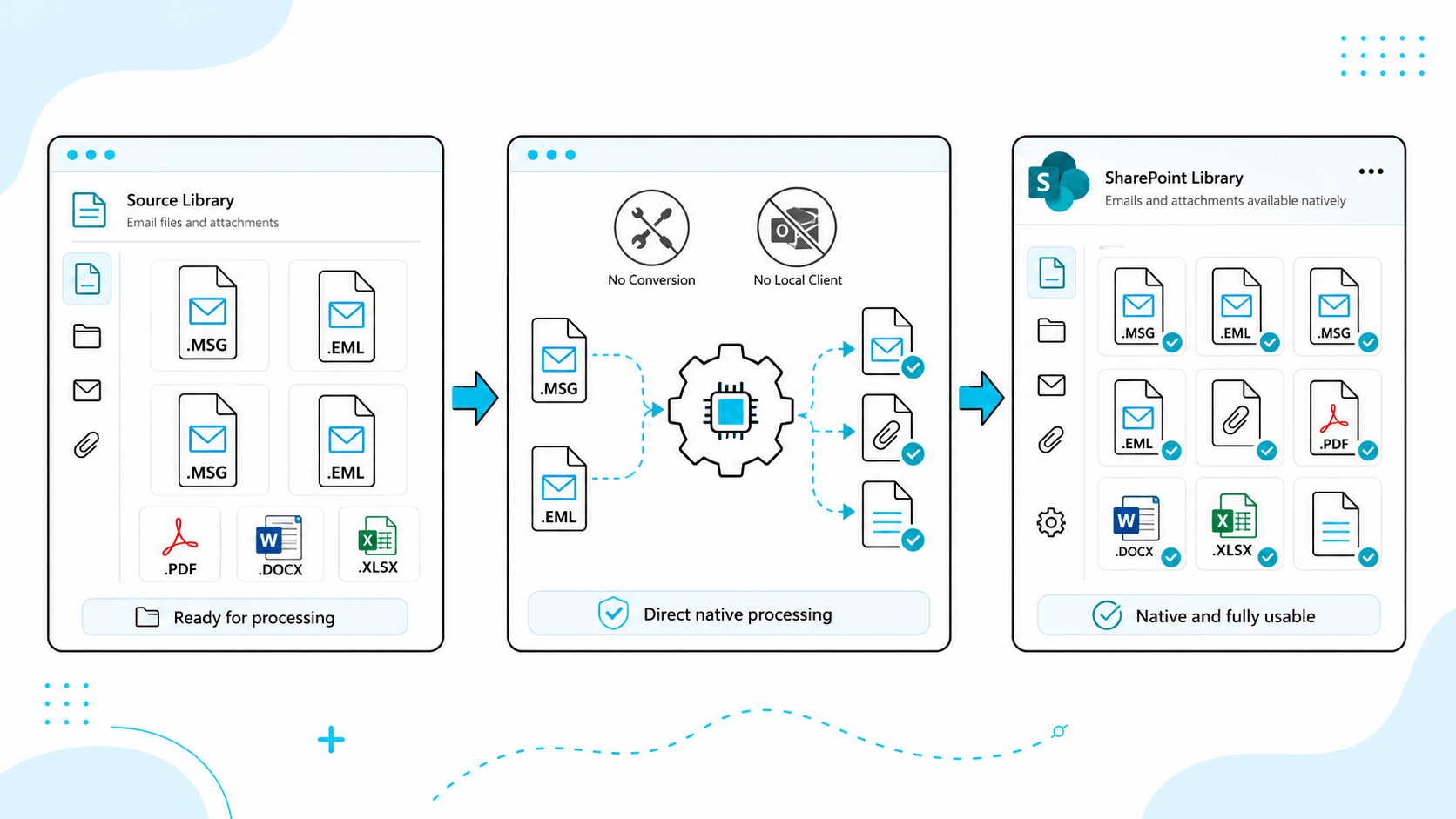
Native EML & MSG Interoperability
Process native Outlook message formats (.msg) and universal internet email files (.eml) directly out of your document libraries without requiring any external file format conversion utilities or local client installations.
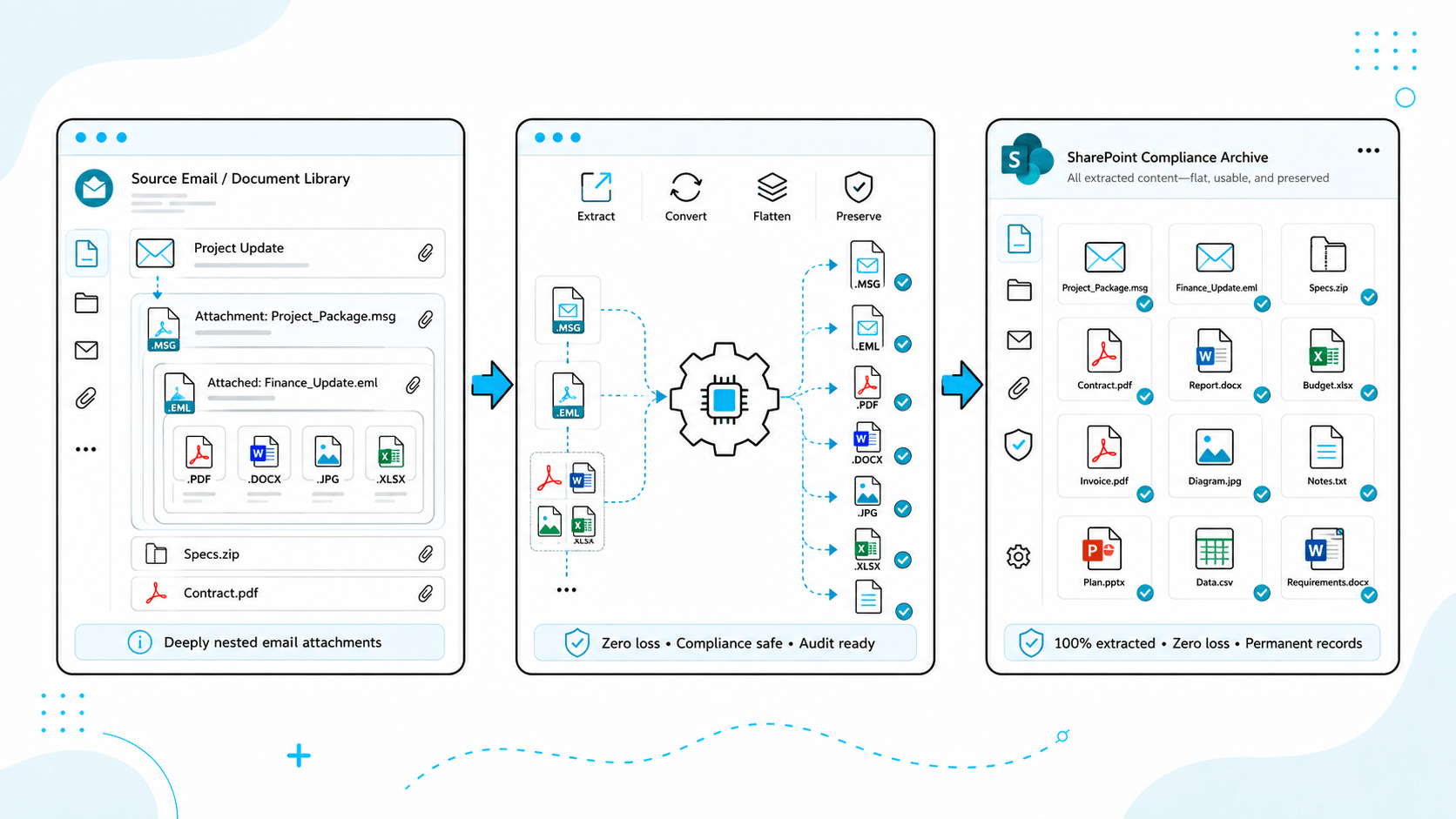
Deep Nested Attachment Extraction
Automatically extracts, converts, and flattens embedded .msg or .eml files hidden deep inside your email attachments, ensuring zero loss of critical documentation during compliance archiving.
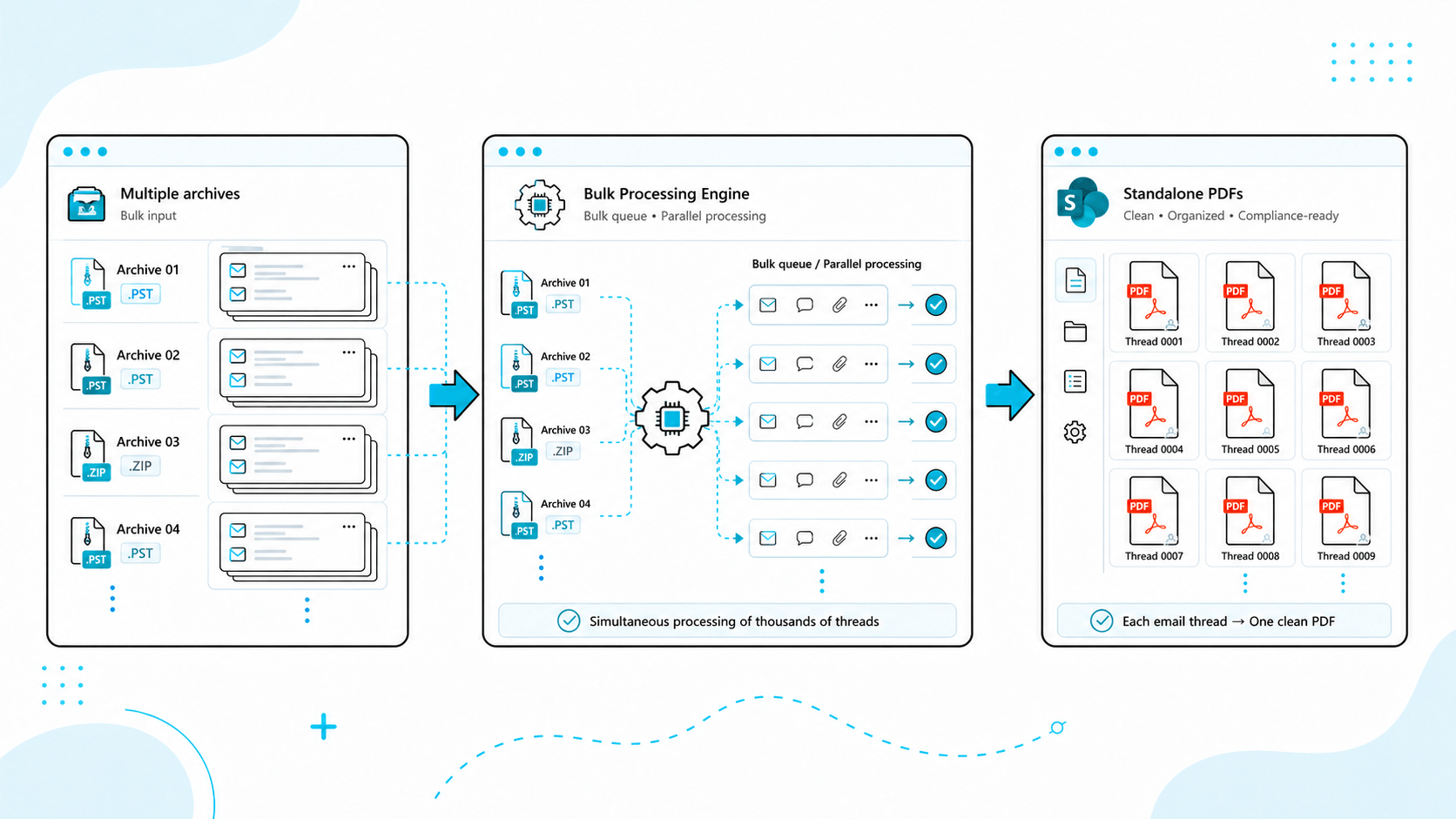
Bulk Processing Engine
Save thousands of clicks by aggregating and processing multiple email archives at the same time. OneClick queues mass data sets simultaneously, packaging each individual email thread into its own clean, standalone PDF.
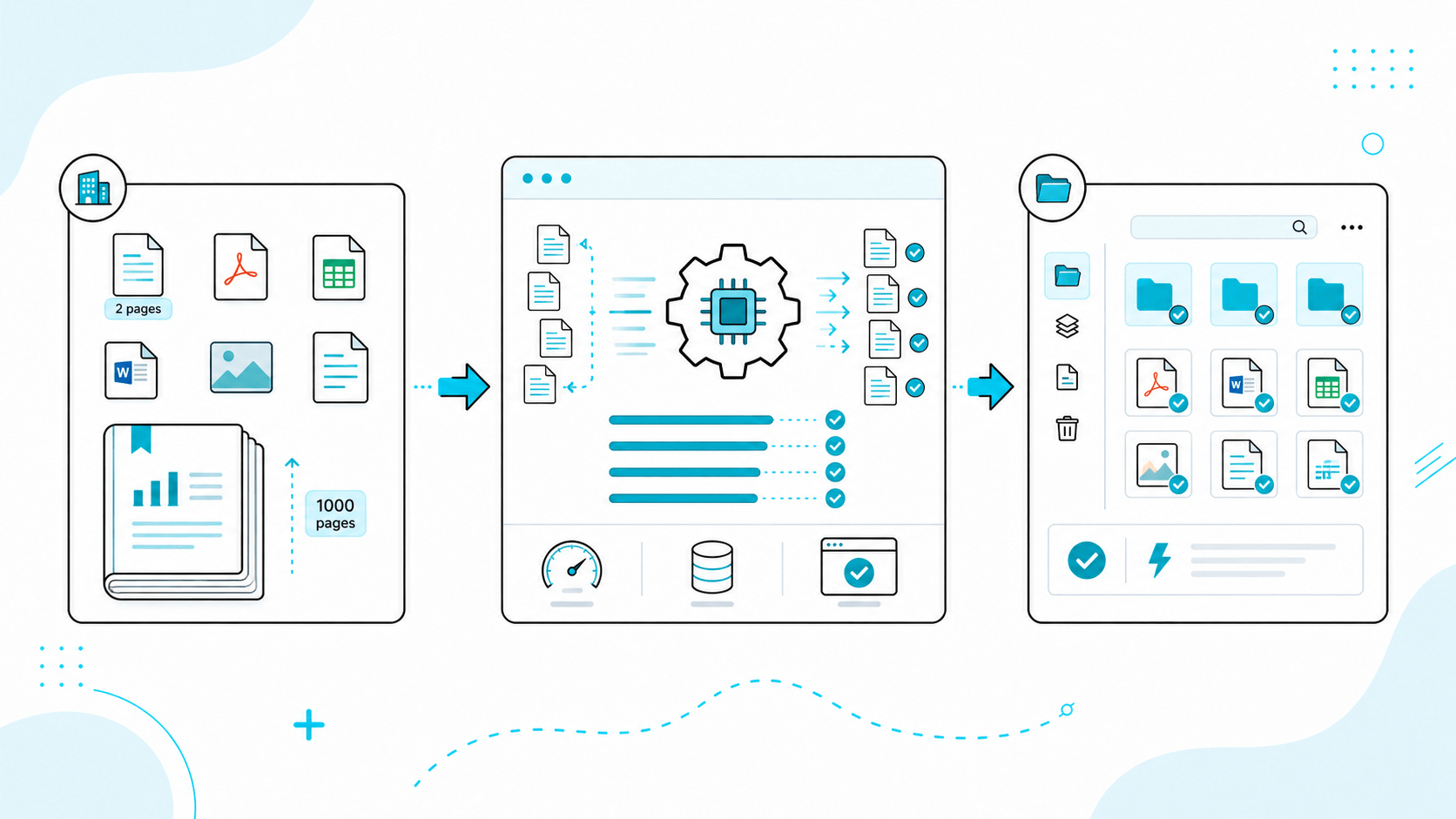
High-Volume Scale Engine
Engineered to handle high-volume enterprise documentation. Whether it’s a quick two-page memo or a massive, complex 1,000-page corporate report, OneClick crunches through processing instantly without causing browser timeouts.
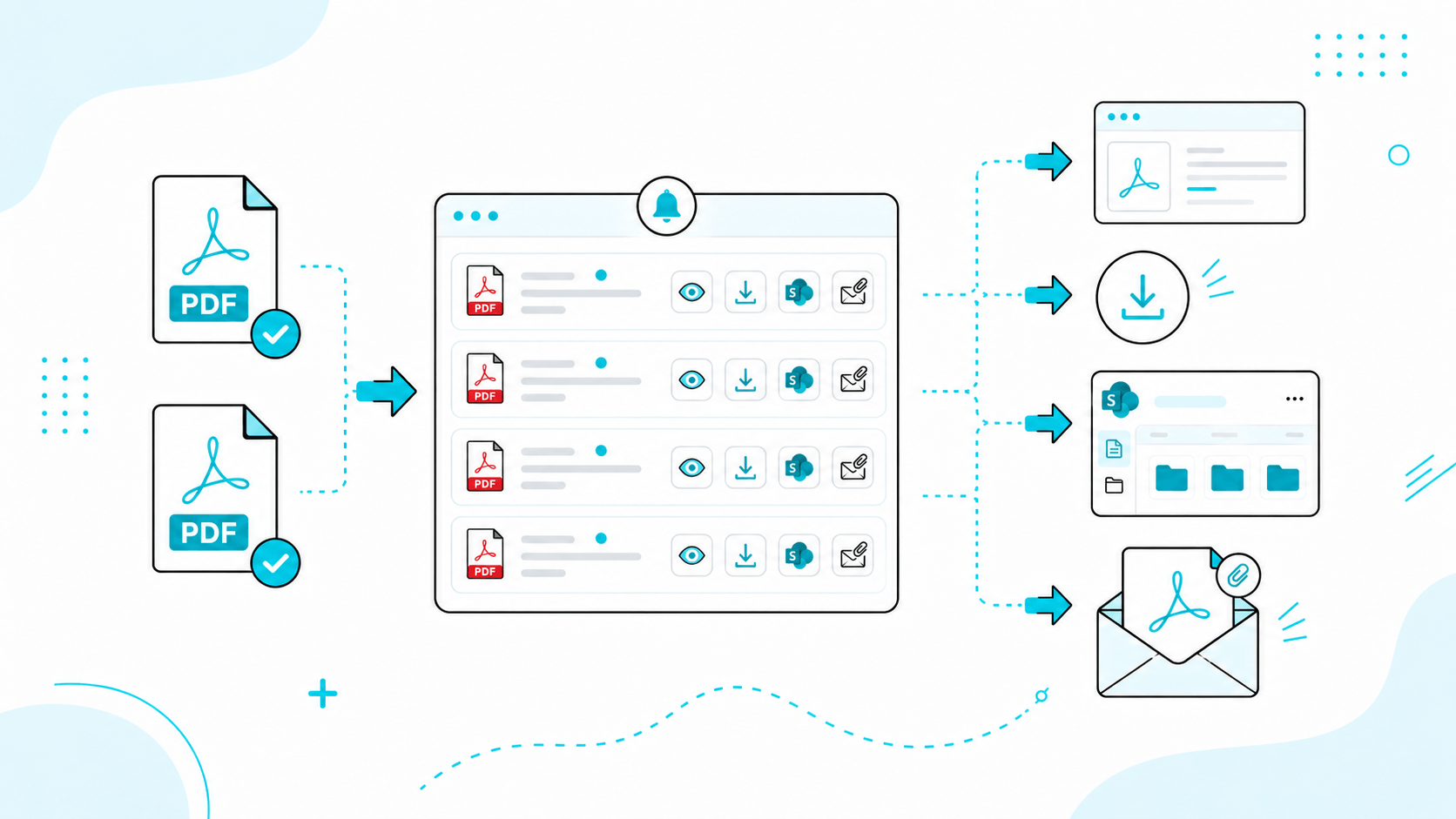
Take Action Instantly
After conversion, OneClick provides a centralized notification panel where users can:
- Preview PDFs instantly
- Download files locally
- Save back to SharePoint in the same location
- Attach converted PDFs to emails
No need to re-open files or navigate away.
Send Emails Without Opening Outlook
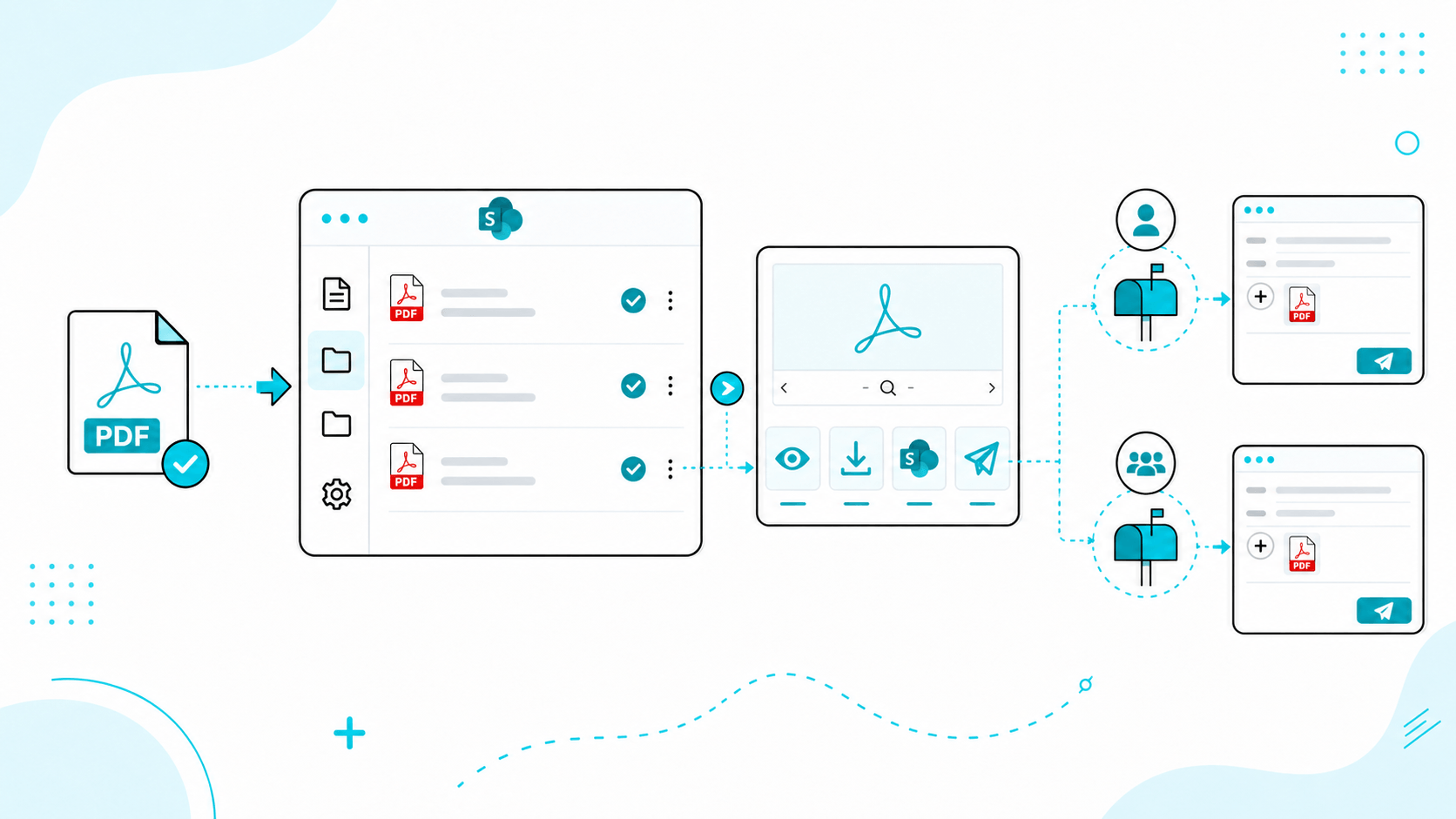
OneClick allows users to send emails directly from SharePoint after conversion, eliminating the need to toggle between platforms:
-
Instant PDF Auto-Attachment
Skip the download-and-upload hassle. The moment your conversion completes, OneClick automatically attaches the fresh PDF to your inline email composer payload, leaving it ready for immediate dispatch.
-
Dynamic Identity Switching (Send As)
Maintain operational compliance by switching sender profiles on the fly. Reply to your converted documents directly from your personal account or an enterprise shared mailbox (e.g., finance@company.com or legal@company.com) natively within the application interface.
-
Native Inline Composer UI
Eliminate context switching and application overhead. Draft, format, and send your correspondence directly from a full-featured email application pane without ever opening Microsoft Outlook or leaving your document context.
This significantly reduces context switching and improves productivity.
-
Granular Task Control & Cancellation
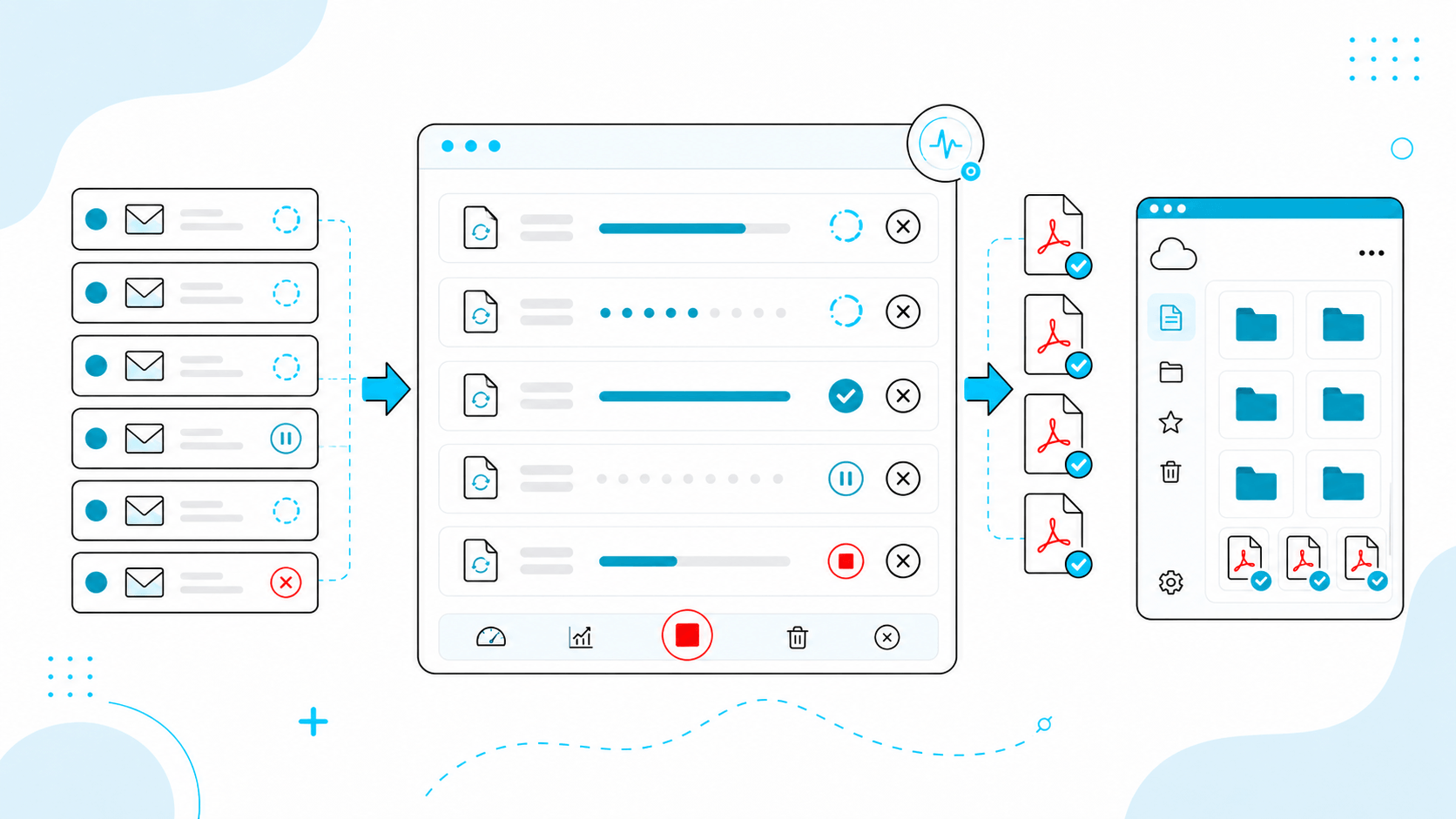
Maintain ultimate oversight over system resources and user error. Instantly halt processing mid-stream with the flexibility to cancel single execution lines individually or purge the entire rendering queue with a single click.
Users stay informed and in control throughout the process.
Real-Time Tracking and Control
OneClick ensures users stay fully informed and in complete control throughout the rendering cycle without disrupting daily tasks:
-
Asynchronous PDF Jobs Panel
Keep working without interruption. Because processing occurs seamlessly in the background, your browser tab never freezes—allowing you to trigger, track, or review complex operations from a non-intrusive notifications drawer.
-
Multi-Job Lifecycle Management
Effortlessly manage high-volume, concurrent workloads. The live tracking panel acts as an active dashboard, giving you real-time visibility into the exact status of multiple conversion strings simultaneously as they move from queue to completion.
Built for Real SharePoint Workflows
OneClick eliminates the friction of traditional document processing tools by operating entirely within your existing infrastructure:
-
Native SPFx UI Integration
Experience zero desktop footprint. OneClick is built natively into the SharePoint framework, deploying globally into your site navigation and document command bars to provide a seamless extension of your existing workspace.
-
Frictionless In-Context Workflows
Eliminate application switching and manual downloads. By enabling users to view, structure, convert, and email files right where their content already lives, OneClick drastically cuts down processing time and prevents data fragmentation.
-
Zero-Training User Adoption
Designed intentionally for everyday business users. The intuitive, modern interface mirrors the native Microsoft 365 design language, ensuring immediate user comfort, rapid organizational adoption, and a minimized IT support burden.
Flexible and Secure Deployment
OneClick supports secure processing using cloud infrastructure, with the flexibility to deploy within your own Microsoft 365 tenant when required.
This ensures:
How It Works
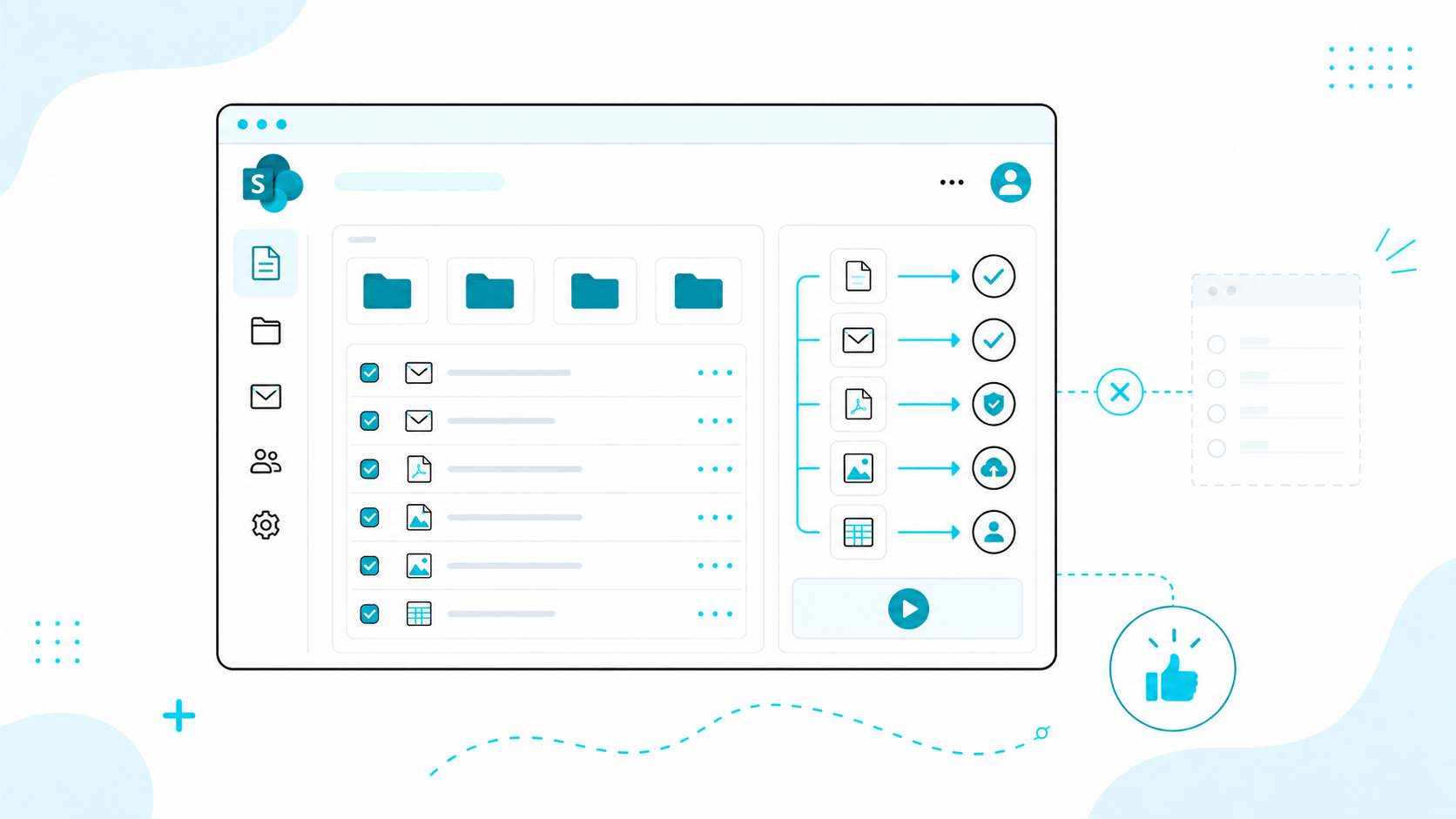
Select EML or MSG files in SharePoint
Choose which attachments to include
Convert to PDF
Preview, send, save, or download instantly
Simplify how your organization manages SharePoint-stored emails.
Convert, preview, share, and send emails as PDFs with complete control, all without leaving SharePoint.Request a demo